
Jalwa Game Login
Jalwa Game login takes seconds — sign in with your registered mobile number and password. Forgot it? Reset with an OTP in under a minute.
Jalwa Game Login: Sign In, Password Reset and Fixes (2026)
Jalwa Game login uses the mobile number you registered with as your account ID — there is no separate username. This guide covers the sign-in process on app and browser, how to reset a forgotten password, why OTPs sometimes fail to arrive, and how to work through every common login error in the order that actually resolves them.
How to Log In
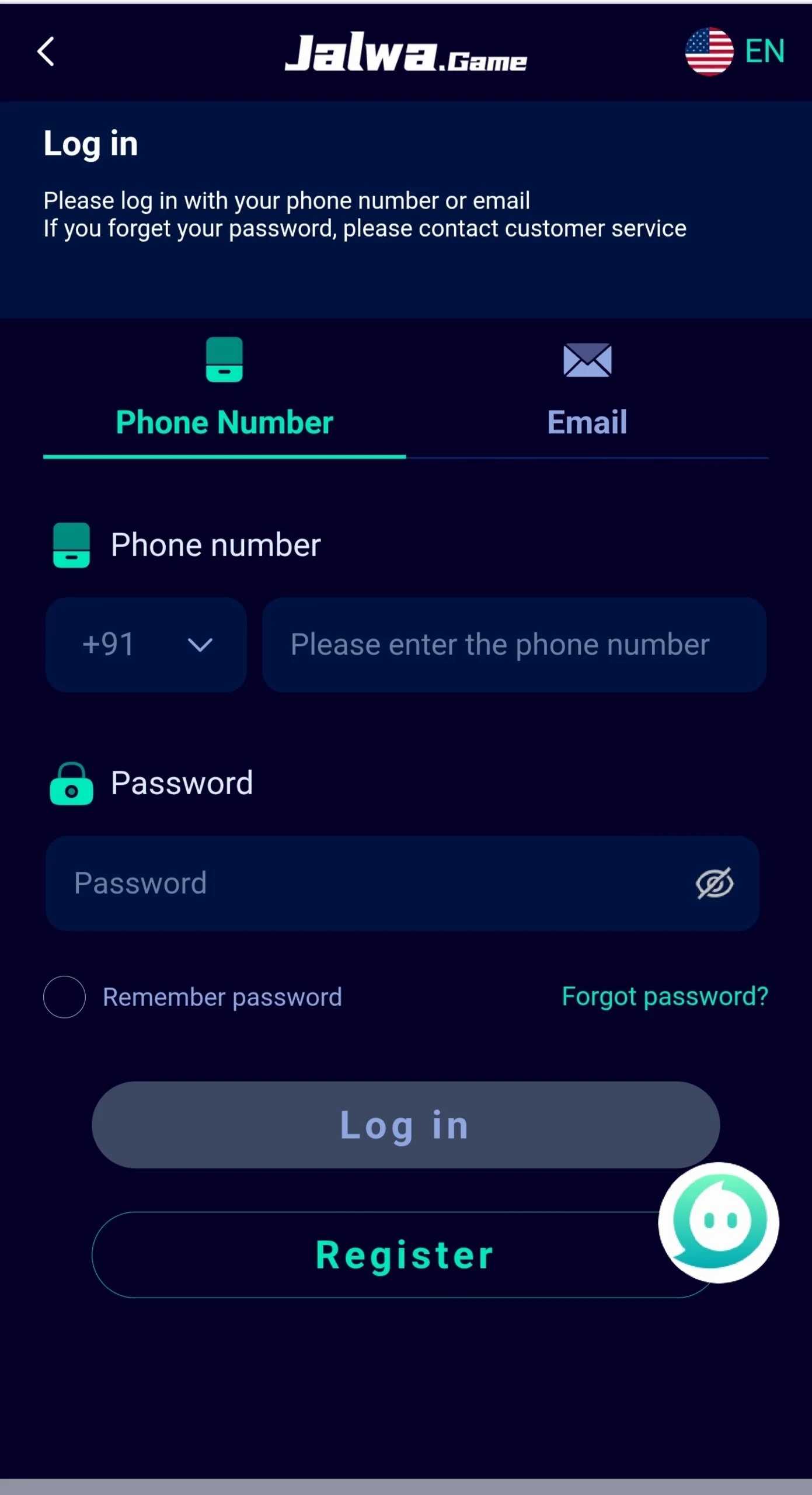
- Open the Jalwa Game app or the official website in your browser
- Tap Login
- Enter the mobile number used at registration
- Enter your password
- Tap Login — the account opens at the game lobby
Some builds also offer login by OTP instead of password. Where available, that route is useful when a password has been forgotten but you still have access to the registered number.
Resetting a Forgotten Password
- On the login screen, tap Forgot Password
- Enter your registered mobile number
- Request the OTP and wait for the SMS
- Enter the code to verify
- Set a new password of at least eight characters
- Log in with the new password
The reset depends entirely on access to the registered number. If that SIM is no longer active, recovery has to go through support and typically requires proof of the original registration.
Login Not Working: Fixes in Order
Work down this list rather than jumping around — the causes are ordered by how often they turn out to be responsible.
1. Verify the credentials
Confirm the mobile number has no missing or extra digits and that no country code has been added where it is not expected. Passwords are case-sensitive, so check for an active caps lock or an autocorrect substitution on mobile keyboards.
2. Clear the app cache
Go to Settings → Apps → Jalwa Game → Storage → Clear Cache. Choose Clear Cache, not Clear Data — the latter removes your saved session. This resolves the majority of cases where the login button appears to do nothing.
3. Check the connection
Load any other website to confirm the connection is live. If it is, switch between mobile data and Wi-Fi — some ISPs route poorly to the platform’s servers, and swapping networks often fixes a login that hangs indefinitely.
4. Update the app
Because the app is distributed outside the Play Store it never auto-updates, and older builds eventually lose server compatibility. Download the current APK from the official site and install over the existing app. Download guide →
5. Try the browser instead
Open the official website in Chrome or Safari and log in there. If browser login works while the app fails, the problem is the app installation rather than your account — reinstall it. App troubleshooting →
OTP Not Arriving
| Cause | What to do |
|---|---|
| Weak network signal | Move to better coverage and request again |
| DND blocking service SMS | Check DND settings with your operator |
| SMS inbox full | Delete old messages and retry |
| Requested too many times | Wait 60 seconds between requests |
| Wrong number entered | Re-check digit by digit |
| Filtered as spam | Check spam or blocked messages folder |
Repeatedly hitting resend usually makes things worse, since rate limiting then delays every subsequent attempt. Request once, wait a full minute, then try again.
Login Page Will Not Load
- Confirm your internet connection works elsewhere
- Clear the app cache
- Switch networks — mobile data to Wi-Fi or the reverse
- Change your DNS to 8.8.8.8 in Wi-Fi settings
- Wait and retry, in case the servers are under maintenance
Logging In on a Different Device
The same credentials work on another phone, tablet or browser. Two points are worth knowing before you do it:
- Starting a new session may end the existing one, logging you out of the first device
- Playing on two devices simultaneously is not supported and can trigger a security review of the account
iPhone and iPad users: there is no native iOS app. Log in through Safari at the official site — all account and game features work. Any App Store listing claiming to be Jalwa Game is not official and should be avoided.
Keeping Your Account Secure
Account takeovers in this niche almost always come from credential sharing or clone sites rather than technical breaches.
- Use a strong, unique password — not your mobile number, date of birth, or a password reused elsewhere
- Never share your password or OTP with anyone. Support will never ask for either; anyone who does is trying to take the account
- Log in only through the official site or app. Clone domains that copy the login screen are the single most common theft vector
- Avoid login links shared in random groups — type the address yourself or use a bookmark
- Log out on shared or public devices
- Change your password immediately if you notice activity you did not perform
Contacting Support
If nothing above works, reach support through in-app help under Profile → Help Center, or the official Telegram channel. Include your registered mobile number, the exact error text, your device model and app version, and a screenshot. Requests with those details are resolved considerably faster than general reports.
Frequently Asked Questions
How do I log in to Jalwa Game?
Open the Jalwa Game app or official website, enter the mobile number you registered with and your password, then tap Login. The account opens directly at the game lobby. There is no separate username — the registered mobile number is your login ID.
What do I do if I forgot my Jalwa Game password?
Tap Forgot Password on the login screen, enter your registered mobile number and request an OTP. Enter the code you receive by SMS, then set a new password of at least eight characters. You can log in with the new password immediately.
Why is my Jalwa Game login not working?
Login usually fails because of an incorrect password, a mistyped mobile number, an unstable connection, a stale app cache or server maintenance. Check the number and password first, then clear the app cache, then try a different network before assuming the account is affected.
Why am I not receiving the Jalwa Game OTP?
A missing OTP is normally caused by poor network signal, a full SMS inbox, DND settings blocking service messages, or requesting codes too quickly in succession. Wait sixty seconds before requesting again, check your spam or blocked messages folder, and confirm the number entered is correct.
Can I log in to Jalwa Game on more than one device?
You can log in from a different phone, tablet or browser using the same credentials, but the platform may end the previous session when a new one starts. Playing on two devices at once is not supported and can trigger a security review of the account.
Is there a Jalwa Game login for iPhone?
There is no native iOS app. iPhone and iPad users log in through Safari by opening the official website, where the full game library and account features work normally. Any App Store listing claiming to be Jalwa Game is not official.